| JOBTRACKER HELP |
| |
 |
|
|
Main Menu
: Logging into the System |
| |
| |
| |
Each user of Job Tracker will require their own unique login name and password. These credentials are generated by a manager and/or supervisor. If you need access to the Job Tracker system, please contact your immediate supervisor. You will not be able to perform any actions in the system without a proper login name and password.
To Start your session in Job Tracker
Enter your username into the ID field, and then enter your password into the password field. Your password is encrypted and will not show you the actual characters as you type, but the system will recognize it properly and if both username and password pass validation you will then proceed with being logged into to the system
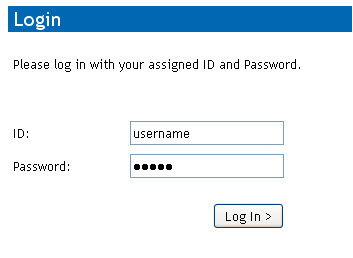
Enter Username into the ID field, enter your password into the password field and press the Log In button to proceed.
If your username and password can not be found, please speak with a supervisor.
Back to Top
|
|